

17 min read · Updated: 2026-11-28
For most iPhone owners, USB-C is the better choice when speed, efficiency and a dependable connection matter most; MagSafe is better when easy magnetic placement and cable-free use matter more. Both can charge an iPhone, but the result depends on the phone model, charger and power adapter. Many people will find that keeping both options available suits different situations.
MagSafe uses magnets to align a compatible wireless charger with the back of an iPhone, while USB-C connects the phone directly to a power adapter or other power source. That direct connection usually wastes less power as heat, and it keeps the charging port occupied only while plugged in.
Before buying, check your iPhone model, the charger’s supported output and whether its power adapter is included. The sections below explain how each method works, when magnetic alignment helps, and what affects real-world charging speed.
- USB-C is usually the more direct, efficient choice; MagSafe makes placement and pickup easier.
- Check your iPhone model, case, cable and power adapter before buying.
- Charging speed depends on the phone, charger, adapter, temperature and how you use the device.
- Choose the method that best suits your charging spot and daily routine.
How MagSafe and USB-C charging differ
Wireless alignment versus wired power
MagSafe charges an iPhone wirelessly by using magnets to hold a compatible charging puck in the right position. The charger transfers power through the phone’s back, so there is no cable plugged into the iPhone itself. USB-C instead carries power through a cable connected to the phone’s charging port.
- MagSafe holds a compatible iPhone in alignment while charging wirelessly.
- USB-C delivers power through a cable and the iPhone’s charging port.
- Choose based on whether easy placement or a direct connection matters more.
The difference is practical as well as technical: magnetic charging makes it easy to pick up and replace the phone, while a cable gives a direct connection. For example, MagSafe can suit a desk where the phone is frequently handled, but USB-C may be simpler if you already have a cable beside your bed.
Wireless charging can lose more energy as heat than a wired connection, and phone placement affects how well it works. A MagSafe charger helps keep the charging coils aligned, but it does not make wireless charging identical to plugging in. USB-C is less sensitive to where the phone rests, provided the cable stays connected.
Compatibility depends on model
Check your exact iPhone model before buying a MagSafe charger, because magnetic alignment and charging support vary across devices. A phone may accept wireless charging without offering the same magnetic attachment experience. A case can also interfere if it is too thick or lacks a suitable magnetic ring.
USB-C charging depends on the connector fitted to the iPhone, not on magnetic features. Some iPhones use a USB-C port, while earlier models use a different connector; in those cases, choose a cable that matches the phone at one end and the power adapter at the other.
Also confirm what comes in the box: a charging puck or cable may need a separate wall adapter. Check the manufacturer’s compatibility notes for the phone, case and power supply, rather than assuming that a familiar connector guarantees the expected charging speed. That quick check can prevent buying an accessory that does not fit your setup.
- Confirm your iPhone model and charging features.
- Check whether your case supports magnetic charging.
- Match the cable connector to both phone and adapter.
- Verify whether a wall adapter is included.
How to charge an iPhone with each option
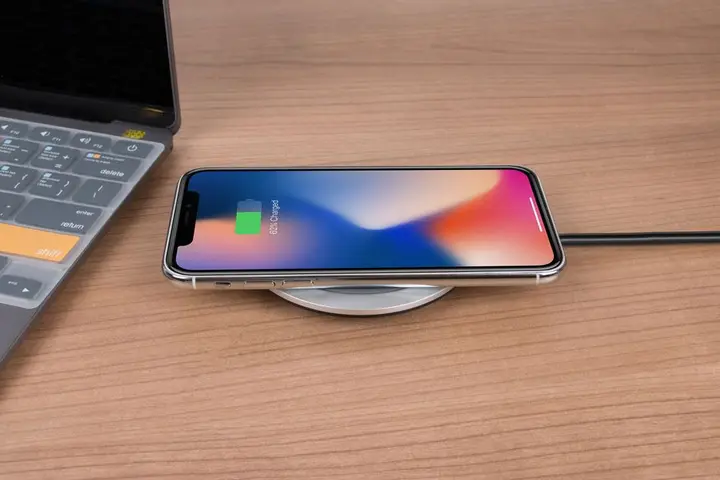
Set up a MagSafe charger
Connect the MagSafe charger to a compatible power adapter, then place the puck on a stable surface and bring the back of the iPhone close to it. The magnets should guide the phone into alignment; check the screen for a charging indication before leaving it in place.
- Connect the MagSafe charger to a compatible power adapter.
- Place the charger on a stable, clear surface.
- Align the iPhone with the charger and check for a charging indication.
- If charging fails, check the case, connection and adapter.
If charging does not start, remove the phone and check for a thick or unsuitable case, debris, or another object between the charger and phone. Then reconnect the charger and position the iPhone again. If the phone still does not respond, test the adapter and cable or consult the accessory’s compatibility guidance.
For people comparing how retailers present charging choices online, Seo Services addresses that separate product-page concern. Keep the charger’s cable clear of places where it could be pulled or bent, and leave space around the phone so heat can dissipate. If the iPhone becomes unusually warm, remove it from the charger and let it cool.
Connect a USB-C cable
Plug a compatible cable into the iPhone and a suitable power adapter, then connect the adapter to a wall outlet. The phone should show that it is charging; if it does not, check that both ends of the cable are fully seated and that the outlet works.
Choose a cable with the connector your iPhone uses at one end and a connector that fits your adapter at the other. A cable that physically fits may still have different power capabilities, so check its specifications if charging speed matters. Avoid cables with damaged insulation or loose connectors.
USB-C charging is straightforward when the phone and adapter connections match, but the cable can be inconvenient if it catches on objects or limits where you use the device. For a nightstand, route it so the phone can rest securely without tension on the port. If charging cuts in and out, test with a known-compatible cable and adapter.
- Match the cable ends to the iPhone and adapter.
- Connect the cable securely at both ends.
- Check the screen for a charging indication.
- Replace damaged cables and test a different outlet if needed.
When magnetic alignment is worth it
A better fit for frequent handling
Magnetic alignment is useful when you often pick up your iPhone while it charges, because the charger is easy to reconnect in the intended position. It can also keep the phone from sliding away from a flat wireless charging pad. The benefit is convenience, not a guarantee of faster charging.
- ☐ Choose magnetic charging if you regularly lift and replace your iPhone.
- ☐ Consider a stand if you want the screen visible while charging.
- ☐ Check that your phone case supports magnetic alignment.
- ☐ Prefer a cable if you need a direct connection or computer access.
At a desk, a magnetic charger can make it simpler to place the phone down between calls and lift it again without unplugging a cable. A stand-style charger can keep the screen visible, while a flat puck takes up less vertical space. Choose the form that fits how you use the phone.
MagSafe is less compelling if the iPhone will sit untouched beside a USB-C cable, or if you need the phone connected to a computer while charging. It also depends on compatible equipment and unobstructed alignment. Compare the extra ease of magnetic placement with the cost and space of adding another charging accessory.
| Choice | Best suited to | Check before use |
|---|---|---|
| MagSafe puck | Easy placement on a desk or bedside table | Phone and case support magnetic alignment |
| MagSafe stand | Keeping the screen visible while charging | Stand stability and adapter requirements |
| USB-C cable | A direct connection at a fixed charging spot | Cable ends and supported power output |
Cases and charging locations
A compatible case can let a MagSafe charger attach without removing the case, but not every case supports magnetic alignment. Thick cases, metal accessories and cards between the phone and charger can weaken the connection or prevent charging. Check the case maker’s compatibility details before relying on it.
Think about where the charger will sit and how you will place the phone there. A magnetic stand can work well on a crowded desk because it holds the phone upright, while a cable may be easier to route behind furniture. In a bag or shared space, a loose cable may be less convenient.
A case-free test can help identify whether the case is interfering: try charging the iPhone without it, then compare the connection. If the charger works only without the case, use a compatible alternative rather than repeatedly shifting the phone. Keep metal objects away from the charging surface and follow the charger’s instructions.
- Check case support for magnetic charging.
- Remove cards or metal accessories from between phone and charger.
- Choose a stand or flat charger to suit the location.
- Test without the case if alignment or charging is unreliable.
The fastest option depends on the iPhone’s supported charging capabilities, the charger’s output and the power adapter supplying it.
Charging speed and power limits to check
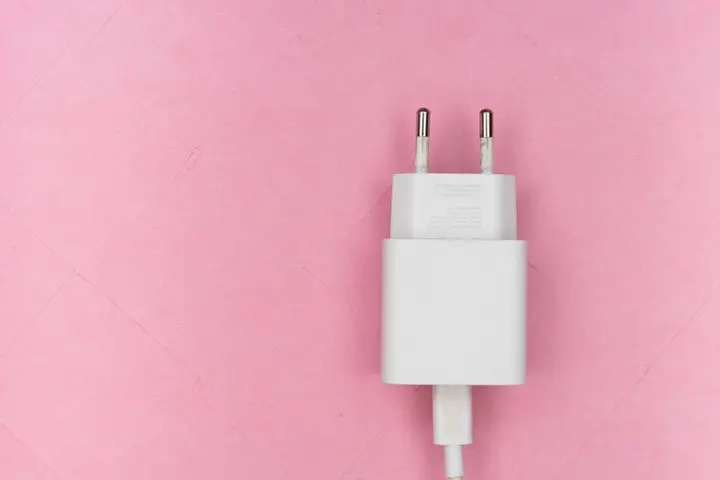
Compare supported charging output
The fastest option depends on the iPhone’s supported charging capabilities, the charger’s output and the power adapter supplying it. A MagSafe puck cannot exceed the limits of the phone or its power source, and a USB-C cable alone does not determine charging speed. Check specifications for the complete setup.
A higher-output adapter may be needed to reach a charger’s advertised performance, but using one does not force the phone to accept more power than it supports. Look for clear compatibility and output information from the accessory maker. If the adapter is sold separately, include it when comparing the practical setup.
Charging speed also changes as the battery fills and can be affected by temperature or active use. So a short test may not reflect the time needed for a full charge. Compare the options under similar conditions, with the same iPhone, battery level and usage, rather than relying on a headline output figure alone.
Heat, cables and daily use
Heat can reduce charging performance, so avoid covering either a MagSafe charger or a plugged-in iPhone with bedding or other insulating material. Wireless charging may produce more warmth than a wired connection, especially if alignment is poor. If the phone becomes notably hot, stop charging and let it cool before trying again.
For a faster, direct charge, use a compatible USB-C cable and power adapter that meet the iPhone’s requirements. For hands-free placement, MagSafe may be easier even if a cable would be more efficient. Keep damaged cables out of use, and do not rely on an adapter whose output or safety information is unclear.
Choose a setup you can use consistently: a cable suits a fixed charging spot, while MagSafe makes repeated placement simpler. If overnight charging is your main use, keep the phone uncovered and make sure the cable or puck cannot be knocked onto the floor. Recheck the connection if charging pauses or the phone reports a temperature warning.
- Keep the phone and charger uncovered while charging.
- Use a compatible adapter with clear output specifications.
- Replace frayed or loose cables.
- Stop charging and let the phone cool if it becomes notably hot.
Cases, heat, and other common pitfalls
Check Case Compatibility
A case must be thin enough and designed to work with magnetic charging for MagSafe to attach reliably. Thick, rugged, metal, or poorly aligned cases can weaken the connection or stop charging, while a compatible magnetic case helps the charger sit in the right place. If charging only works after removing the case, the case is a likely cause.
A USB-C cable is less sensitive to case design because it plugs directly into the phone’s port. However, a bulky case can make the connector awkward to reach, and a cover over the port may need to be opened before plugging in. Check that the cable seats fully instead of relying on a loose connection.
Test the charger with the case on and off before deciding that the charger is faulty. If the magnetic puck slips, sits off-centre, or repeatedly starts and stops charging, try a compatible case or charge without one. Keep metal plates and card holders away from the charging area, since they can interfere with magnetic attachment or add unwanted heat.
Manage Heat and Placement
Wireless charging can warm the phone and charger, especially when they are covered, placed on soft bedding, or used in a warm room. Mild warmth during charging is common, but persistent heat can cause the iPhone to slow or pause charging. Place the phone and charger on a firm, open surface with room for air to circulate.
A USB-C cable avoids magnetic alignment issues, but it does not make heat impossible. Heavy apps, direct sunlight, and a warm environment can still raise the phone’s temperature while it charges. If the phone feels unusually hot, stop demanding tasks, move it out of sunlight, and let it cool before charging again.
Keep the MagSafe puck flat against the phone’s back and clear of loose objects that could shift its position. With a cable, inspect the port and connector if charging cuts in and out; lint or a damaged cable can prevent a secure fit. Avoid forcing debris out with sharp tools, and follow Apple’s guidance for cleaning the port.
How to choose a reliable charger online
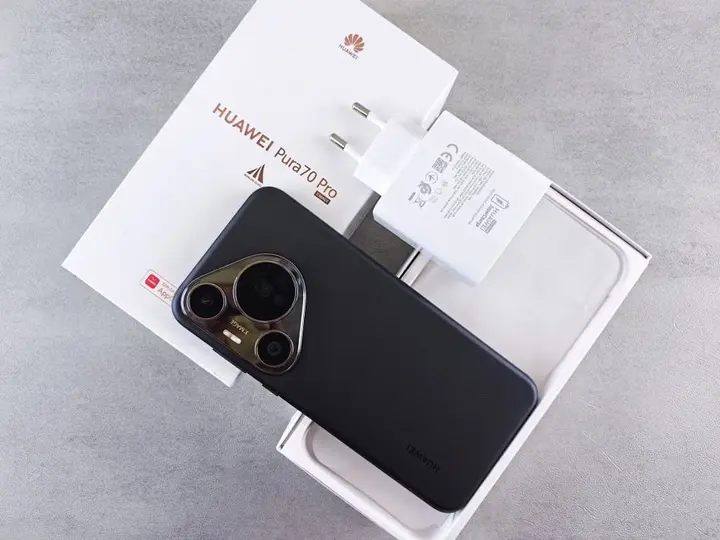
Read the Product Details
Check the charger’s stated iPhone compatibility, charging standard, and required power adapter before buying. A magnetic puck may need a separate USB-C power adapter, while some charging stands include one and others do not. Confirm what is in the box and whether the listed charging capability matches your iPhone model and intended use.
Look for clear information about output, cable length, safety protections, and any power adapter requirements. If you run a shop that sells charging accessories, Leicester Seo Services may help you make its product information easier for local customers to find. As a shopper, use precise product details to compare options rather than relying on a vague claim such as “fast charging.”
Check whether the listing names the relevant wireless charging standard and explains magnetic compatibility, rather than implying that every wireless charger is MagSafe. Read the return terms and warranty information before ordering, particularly if you are unsure whether a case or phone model will work. A trustworthy listing should make limitations and included accessories easy to understand.
Assess Seller and Support
Choose a seller that provides a clear product description, a straightforward way to contact support, and accessible returns information. These details matter if the charger arrives with a missing adapter, does not align with your case, or behaves differently from the listing. Save the order confirmation and product description until you know the charger works as expected.
Look beyond a product’s star rating when checking customer feedback. Useful reviews describe the phone model, case type, charging arrangement, or problem encountered; brief praise alone tells you less about compatibility. Treat repeated reports of disconnections, excess heat, or unclear specifications as a reason to investigate further before placing an order.
For a charger that will be used daily, consider whether the seller explains replacement or warranty support and how to reach it. Avoid listings that omit basic technical details or make broad claims without specifying compatible devices. A careful purchase is easier to resolve if the product information, seller identity, and return process are clear from the start.
Ways to keep everyday charging convenient
Set Up Reliable Charging Spots
Put a charger where you naturally pause with your phone, such as a bedside table or desk, so charging becomes part of an existing habit. A MagSafe charger is convenient when you can place the phone down and pick it up without handling a cable. Keep the charging surface clear enough that the phone can sit flat and align consistently.
- Putting a charger where it is hard to reach; place it beside a regular resting spot.
- Routing a cable across a walkway; keep it along a desk edge or wall.
- Leaving the charging area cluttered; clear space so the phone and charger sit securely.
For people who operate a real local electronics shop, Local Seo Services can help keep its business details and location information consistent. For your own charging routine, reduce small obstacles: keep the cable within reach, route it away from walkways, and use a stable surface that will not tip when you lift the phone. Simple placement often matters more than adding another accessory.
Choose a location that suits how you use the phone while it charges. A magnetic charger lets you lift the iPhone quickly, but cable charging may be simpler if the phone stays in one place or you need a direct connection. Avoid placing either setup where the connector or charging surface is likely to be pulled, crushed, or covered.
Keep Cables and Chargers Ready
Keep a USB-C cable and suitable power adapter in the places where you actually charge, rather than moving one setup around all day. A spare cable can be useful at a desk or bedside table, while a magnetic charger can stay in a spot where you often set the phone down. Labeling similar cables can also prevent unnecessary unplugging.
Inspect cables and connectors periodically for fraying, bent parts, or a loose fit. Replace damaged accessories instead of bending them into position or continuing to use them intermittently. If charging stops when the phone shifts, check whether the issue follows the cable, adapter, or outlet before assuming the iPhone needs repair.
Make travel charging predictable by checking that you have the charger, cable, and power adapter your chosen setup requires. A magnetic puck may be compact, but it still needs a power source; a cable needs a compatible adapter or port. Packing those pieces together avoids arriving with a charger that cannot be connected to available power.
Tips for choosing a setup that fits your routine
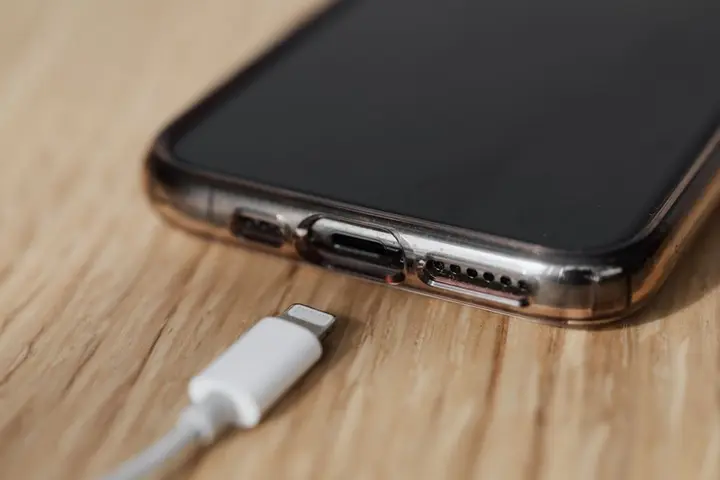
Match Charging to Habits
Choose MagSafe if you often charge in short stretches and value easy placement without plugging in each time. It is especially convenient on a desk or bedside table, where the phone can stay near the charger and be lifted quickly. A USB-C cable may suit you better if you prefer a simple connection or regularly charge in different places.
Think about when you need the phone, not just where it charges. A cable can keep the iPhone connected while you use it, while a magnetic charger lets you pick it up without unplugging a connector. If the phone often moves between rooms, a cable kept with your usual seat may be more practical than a fixed charging stand.
Consider the accessories you already own before adding another charger. If your power adapter and cables are in good condition, USB-C charging may be the simplest choice; if you repeatedly misalign a wireless pad, MagSafe may reduce that daily friction. The better option is the one you can use consistently without extra steps or clutter.
Choose a Practical Combination
You do not have to use the same charging method everywhere. A USB-C cable can stay in a travel bag or at a desk, while a MagSafe charger remains on a bedside table for easy overnight placement. This combination works well when each accessory has a clear role and you are not buying duplicates you will rarely use.
Before committing to a setup, try charging in the place where it will be used most. Notice whether the cable reaches comfortably, whether the magnetic puck stays attached, and whether the phone is easy to pick up. Testing the real arrangement can reveal problems that product photos and specifications do not show.
Start with one charger that addresses your main inconvenience, then add another only if a different location or use case calls for it. For example, frequent cable plugging may justify a magnetic charger at a desk, while a reliable cable remains useful for travel. This keeps the choice practical and lets everyday use, rather than assumptions, guide any later purchase.
Frequently asked questions
Can I use MagSafe and USB-C charging on the same iPhone?
Yes. An iPhone with a USB-C port can charge through that port or wirelessly with a compatible MagSafe charger. Use one method at a time; connecting a cable while the phone is on a wireless charger may change which source it uses. If charging behaves unexpectedly, remove the phone from the wireless charger and check the cable and power adapter separately.
Does a MagSafe charger work with a non-magnetic case?
It may charge through some cases, but attachment and alignment can be unreliable if the case is not designed for magnetic charging. A thick case or materials that interfere with wireless charging can prevent a stable connection. Test the charger with the case fitted and removed; if charging improves without it, choose a compatible case or use a USB-C cable.
Can I leave my iPhone on a MagSafe charger overnight?
You can leave a compatible iPhone on a properly connected MagSafe charger overnight. Keep the charger on a firm, uncovered surface and avoid placing the phone under bedding, where heat can build up. The iPhone manages charging, but if the phone or charger becomes unusually hot, move it to a cooler, open area and check the setup.
Why does my iPhone charge slowly with a USB-C cable?
Slow charging can result from a low-power adapter, a damaged or unsuitable cable, a poor connection, or an iPhone that is warm or being used heavily. Check that the connector is fully seated and try a known-compatible adapter and cable. If the problem continues, inspect the port for debris and consult Apple support rather than forcing anything into it.
Choose the Charger That Removes Friction
MagSafe is a strong choice when effortless placement and quick pickup matter most, while USB-C is often the straightforward option for a direct connection and flexible everyday use. Cases, heat, the required power adapter, and your charging location can all affect how well either method works. Compare the complete setup—not just the charger—and choose according to the habits you want to make easier.
Before buying, check compatibility with your iPhone and case, confirm what accessories are included, and review the seller’s return terms. If you already have a dependable USB-C cable, try it in your usual charging spot before adding anything new. If plugging in or aligning a regular wireless pad is a daily annoyance, test a compatible MagSafe charger where you use your phone most.


