

7 min read · Updated: 2026-10-12
How should you assess wireless chargers for daily use and safety? This guide offers a practical, reader-focused checklist that covers setup, compatibility, and common missteps. It translates technical specs into concrete steps you can apply right away.
You’ll learn how to verify coil standards, alignment, and case suitability, plus how to test charging speed without compromising device longevity. The aim is to help you pick a charger that fits your devices and your workflow.
Across the pages that follow, you’ll see actionable steps, clear cautions, and real-world examples that keep your devices protected while you stay in control of charging behavior.
- Begin with core compatibility checks and coil alignment before buying a charger.
- Test actual charging performance under normal usage to verify speed and heat behavior.
- Choose a form factor that fits your desk and daily routine, then review safety features and multi-device support.
- Be mindful of placement, cases, and heat to avoid slowing charging or risking device health.
Basics of choosing a wireless charger
Understanding coil standards
Start with the basics: look for Qi compatibility and verify that your device supports the charger’s power profile. This matters because misaligned standards can reduce charging efficiency or cause heat buildup. aberdeennews.uk news is a potential resource for local events and tech coverage.
Check the input rating and the charger's maximum output. A charger that exceeds what your device can handle won’t speed up charging and may cause stress to the battery.
If your device uses cases, measure the distance from the coil to the back of the device to ensure the case doesn’t block the field. A thick or metal case can impede charging.
- Choose Qi-certified models for broad compatibility
- Avoid very thin or very thick cases that disrupt coils
- Prefer chargers with heat management features
- Test with a known compatible device first
- Consider whether the charger supports your preferred orientation
Placement and case considerations
Placement matters: align the phone with the center of the pad to avoid dim charging or interruptions. A misaligned phone can show slow charging or intermittent power.
Case materials and thickness influence efficiency. Metal, magnets, or thick protective gear can shield the coil, reducing power transfer.
Nightly operations benefit from a charger with thermal sensors and auto-stop features to prevent overheating during long sessions.
- Center the phone on the pad
- Avoid metal accessories between coil and device
- Use a case under 5 mm when possible
- Choose a charger with temperature protection
- Enable a timer or auto-off if available
From basics to compatibility checks
Verifying device compatibility
Check your phone or tablet manual for supported standards and maximum charging current. If in doubt, test with a known-good charger to observe whether charging remains stable. If you want to reach a tech audience in Aberdeen, consider how to advertise your event in Aberdeen to draw in interested readers.
Observe thermal behavior during initial tests; a charger should not cause rapid heat spikes. If heat rises quickly, discontinue use and try a different model.
Review any fast-charge features; not all devices support it on every charger. Matching the device’s expected input avoids wasted energy and potential battery wear.
- Look up device specs for input limits
- Test first with a low-power setting
- Match fast-charging support between device and charger
- Watch for heat and noise during first uses
- Avoid third-party cables that claim unsupported speeds
Test run and safety checks
Run a controlled test by charging a single device for a fixed period and monitor temperature changes. A sudden spike indicates poor heat dissipation or a misfit.
Inspect for any unusual warmth around the charging pad after use. Consistent cool-to-warm results indicate healthy operation.
If a charger shows signs of wear, replace the pad or switch to a model with better heat management and overcurrent protection.
- Monitor temperature over first hours
- Inspect for uneven warmth
- Choose products with robust protection
- Avoid long idle charging with poor heat routing
- Consider replacing after visible wear
Options: pads, stands, and integration
Choosing between pad and stand configurations
Pads lie flat and are simple; stands offer easier viewing and interaction while charging. The best choice depends on your desk setup and how often you pick up the device. Aberdeen business listings can help tech businesses appear in local directories and improve visibility.
Stands can improve cooling by exposing more surface area to air, which helps prevent heat build-up during longer sessions.
Consider the device orientation; some setups keep the screen visible while it charges, which is convenient for notifications.
- Flat pads save space
- Stands improve visibility and cooling
- Orientation matters for notification access
- Test both at a store if possible
- Check stability to avoid slips on desks
| Option | Pros | Cons |
|---|---|---|
| Pad | Low profile, cheap | Limited visibility, heat concentration |
| Stand | Better cooling, easier access | Takes more space, can be less stable on small desks |
| Integrated dock | Convenience, tidier setup | May lock into one ecosystem or device |
Extrinsic features that matter
Look for built-in safety features: overcharge protection, foreign object detection, and thermal guards. These reduce risk in everyday use.
A charger with multi-device support can simplify your setup, but confirm each port’s current rating to avoid bottlenecks.
Non-slip surfaces and fabric finishes reduce the risk of accidental bumps that interrupt charging.
- Prioritize safety features
- Ensure power delivery on all ports
- Prefer non-slip surfaces
- Check for heat management design
- Consider space on your desk
Choose chargers that advertise future-proof features such as firmware updates and adaptive power profiles.
Future-proofing wireless charging
Assessing charger compatibility
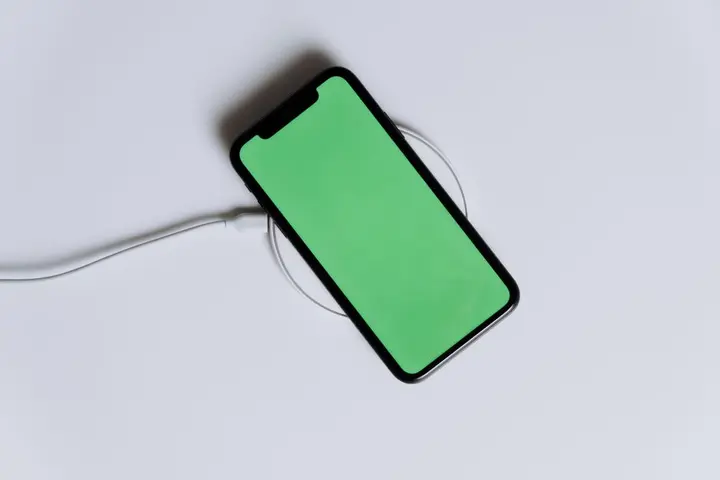
Start with the device ecosystem you own and plan to expand. Look for standards like Qi and any upcoming updates that could affect performance. Testing compatibility with current devices avoids wasted purchases. Used items for sale in Aberdeen could include refurbished wireless chargers or related gear, which readers may find useful.
Choose chargers that advertise future-proof features such as firmware updates and adaptive power profiles. This reduces the need to replace hardware as devices evolve. Keep a short list of supported device models for quick reference when shopping.
Avoid overpaying for bells and whistles you won’t use; prioritize steady performance, energy efficiency, and easy firmware refresh paths. A practical approach is to compare one well-rated charger against a newer model after a year of use.
- Check supported device lists
- Review firmware update policy
- Evaluate energy efficiency
Security considerations for wireless charging
Mitigating firmware risks
Firmware integrity matters because malicious updates can compromise devices. Prefer chargers that come from reputable brands with signed updates. Regularly check the manufacturer’s security notices. Aberdeen obituaries
- ☐ Avoid side channels by disabling unused features
- ☐ Update through official apps only
- ☐ Monitor for unusual device behavior
Disable any features you don’t use, such as embedded browsers or data transfer modes, to limit exposure. Even basic chargers can pose risk if they allow wireless data channels.
When possible, enable optional security features like device authentication and isolation modes. These add layers that require deliberate user actions and understanding to bypass.
- Use trusted brands
- Keep firmware current
- Limit data pathways
Care and maintenance of charging surfaces

Cleaning and alignment practices
Regular cleaning maintains efficiency and prevents heat buildup. Use a soft, lint-free cloth and a light, non-abrasive cleaner if needed. Avoid harsh chemicals that can degrade coatings.
- Wipe the surface gently
- Dry completely before use
- Recheck device alignment
- Store pad away from moisture
Keep the surface dry and free of debris that could interfere with coil alignment. A layer of dust or a fingertip residue can reduce charging speed.
Align devices carefully to centers of the pad to maximize energy transfer. Misalignment increases heat and lowers charging efficiency, especially with thin cases.
- Soft cloth cleaning
- No liquids on electronics
- Center alignment check
Integrating wireless charging into smart spaces
Creating a seamless charging corner
Design a dedicated charging zone that blends with your desk or nightstand. Use a stand or pad close to a power outlet and keep cables organized. This reduces desk clutter and improves accessibility.
Consider multiple charging surfaces for a household or office, with clear labeling for each user. Consistent placement helps users instinctively know where to place their devices.
Test the space with a few devices over a week to observe heat patterns and responsiveness. Small adjustments can improve reliability and user satisfaction.
- One charging spot per user
- Cable management
- Labeling and familiarity
- Heat testing after setup
Frequently asked questions
Can I use any wireless charger with my phone?
Most current phones use a common standard, but compatibility varies. Check your device’s specifications and confirm the charger supports the same standard and power level. If in doubt, start with a basic model from a trusted brand and test basic charging first.
Why does my phone get warm while charging?
Charging generates heat, especially if the case is thick or the device is used while charging. If heat is excessive or lasts long after charging, remove heavy cases and give the device a chance to cool before resuming.
Is it safe to leave a charger plugged in all the time?
Leaving a charger plugged in typically carries minimal risk, but it can draw standby power. If you’re energy-conscious, unplug when not in use and use power strips with on/off switches for convenience.
How should I choose a charging pad for multiple devices?
Look for a pad that supports the devices you own, has stable alignment, and offers adequate cooling. A larger surface helps with spacing, but avoid pads that encourage crowding and overheating.
Conclusion
The practical habit is to start with a simple, compatible charger and grow your setup as your device landscape evolves. Regular checks on alignment, heat, and firmware will keep charging steady.
Turn a corner of your workspace into a dedicated charging zone to reduce desk clutter, improve accessibility, and encourage consistent use. This setup supports a healthier battery lifecycle and a more organized space.


