

17 min read · Updated: 2026-11-29
Charge a solar power bank through its USB input for the fastest, most predictable recharge; use its built-in panel to add power when you have sustained, direct sunlight. Place the panel in an unobstructed sunny spot and check its indicator, but do not expect a small panel to refill a depleted bank quickly.
The time required depends on the bank’s capacity, the panel’s size and efficiency, sunlight strength, and whether the bank is powering a device at the same time. A USB wall adapter is generally the practical choice before a trip, while solar charging is better treated as a slow top-up when conditions cooperate.
Understanding capacity labels and charging limits helps you choose a model that suits your phone, travel habits, and access to outlets. The guide below explains the basics, charging methods, panel and capacity trade-offs, and common selection mistakes.
- Use USB charging for the most predictable refill and sunlight for a slower top-up.
- Keep the panel unobstructed, angled toward direct light, and away from excessive heat.
- Compare capacity, output, panel input, weight, and charging conditions before choosing.
- Check the manual and indicator rather than assuming every model works the same way.
What a solar power bank can—and cannot—do
Panel and battery roles
A solar power bank stores electricity in an internal battery and uses a small panel to collect sunlight. The stored energy can then charge a phone or another compatible device through its output port, even when no outlet is nearby. The panel gathers energy; it does not directly replace the bank’s battery or guarantee quick charging.
- Check the manual to confirm the bank accepts solar input.
- Place the panel in direct, unobstructed sunlight.
- Watch the status indicator to confirm that charging has started.
- Use a USB input when you need a faster, more dependable refill.
Treat the solar panel as a way to add charge during long periods outdoors, not as the main way to refill a large, empty bank. Shade, clouds, panel angle, and heat all affect what it collects. When comparing an imported model with local options, anlık döviz fiyatları can provide exchange-rate context for its listed price.
Before relying on a model, check its manual for the input ports, supported charging methods, and any restrictions on use in direct sun. Some products have a panel on one face, while others use a folding panel or a separate solar accessory. These designs collect light differently and may not deliver the same practical results.
Realistic solar expectations
A built-in panel is usually small because it must fit on a portable device, so its output is limited compared with a wall charger. It may add useful energy during a day outside, but a full recharge can take much longer than users expect. Check the manufacturer’s stated solar input rather than assuming the panel matches the bank’s capacity.
Sunlight is not a steady power source: clouds, tree cover, changing seasons, and the angle of the panel can all reduce collection. A bank left behind a car window may also heat up, which can affect battery performance or trigger protective limits. Keep it ventilated and follow the maker’s temperature guidance.
Think of solar charging as a backup that works best when the bank has time to sit in bright light. If you need a reliably full battery by a particular time, charge by USB beforehand. The panel can then help extend your reserve, rather than carrying the entire burden of charging your phone.
- Use sunlight as a top-up, not a guaranteed rapid refill.
- Avoid placing the bank on hot surfaces or in enclosed heat.
- Check the indicator instead of assuming sunlight means charging.
How to charge it from sunlight and USB
Charging through a USB input
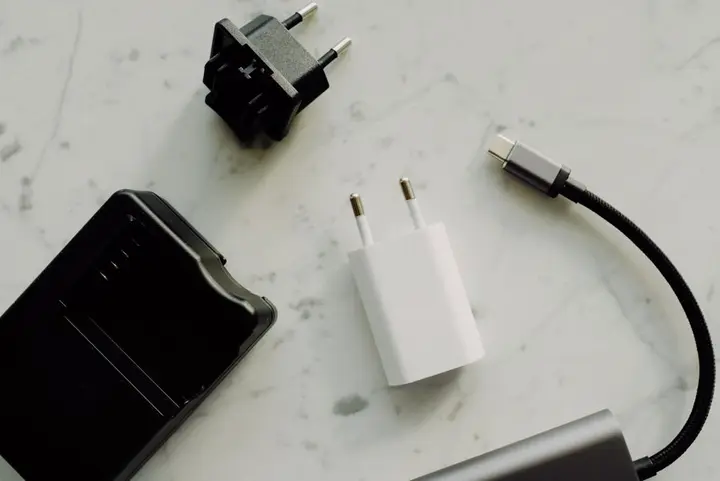
For a predictable recharge, connect the bank’s input port to a compatible USB wall adapter using a suitable cable. Check the labels or manual for the supported input and use an adapter that stays within those limits. If a seller lists a solar bank in another currency, döviz kurları çevir can help estimate its cost in your own currency.
The bank’s indicator should show that power is entering; consult the manual to interpret lights or screen symbols, since designs differ. A cable that only supports limited power, a loose connection, or an unsuitable adapter can slow charging or prevent it. If the indicator stays off, try a known-good cable and check the input port.
Allow the bank to finish charging before disconnecting it, and avoid charging it in a hot place or under bedding. Some models can pass power through to a connected device, but this may slow the bank’s own recharge or increase heat. Use that feature only if the manufacturer says it is supported.
- Confirm which port is the bank’s input.
- Use a compatible adapter and cable.
- Check the indicator for charging status.
- Keep the bank in a cool, ventilated spot.
Using the solar panel
To use the built-in panel, place it where direct sunlight reaches the surface without obstruction and follow the orientation guidance in the manual. Confirm that the indicator responds, because some banks begin collecting power automatically while others require a button press. Reposition the device as the sun moves if you can do so safely.
A bright outdoor location generally works better than a shaded windowsill, but avoid leaving the bank where it can overheat. Do not cover the panel with a bag, clothing, or a connected device. If sunlight changes, expect charging to slow or stop; the indicator is a more useful guide than appearance alone.
If your model has a separate folding panel, set it up securely and connect it to the specified input. Keep the cable and connectors dry, and do not force a plug into a port. Bring the bank into shade if it becomes unusually hot, then resume charging only within the temperature range in its instructions.
What capacity and panel size mean
Reading capacity labels
Capacity describes how much energy a power bank can store, but the advertised figure does not translate directly into the same amount delivered to a phone. Energy is lost during voltage conversion and charging, so usable output is lower than the battery’s nominal capacity. Compare models using their stated capacity and output details, not a promise of exact phone recharges.
- ☐ Estimate how many device charges you need between outlets.
- ☐ Compare usable output details, not capacity alone.
- ☐ Check the bank’s output against your device’s needs.
- ☐ Consider whether extra reserve is worth added weight.
Your phone’s battery size, charging efficiency, and use while connected all affect how often the bank can recharge it. A larger-capacity bank can hold more reserve, but it is usually heavier and takes longer to refill. Match the capacity to your routine: a short outing calls for different reserves than several days away from outlets.
Check the bank’s output rating as well as its capacity, since output determines how it can charge connected devices. A bank may store plenty of energy yet charge a particular device slowly if its port or supported output is limited. Confirm compatibility with your phone and cable before choosing based on capacity alone.
- Compare stated capacity alongside output ratings.
- Allow for energy lost during conversion.
- Balance reserve power against weight and recharge time.
- Check that the output suits your device.
| Choice | Main advantage | Main trade-off |
|---|---|---|
| Compact built-in panel | Easy to carry | Limited solar collection area |
| Fold-out panel | More panel area in sunlight | Needs extra space and setup |
| USB recharge | More predictable input | Requires an adapter and outlet |
| Higher capacity bank | More stored energy | Greater weight and refill time |
Panel size and conditions
A larger solar panel can collect more energy in suitable light, but panel area alone does not tell you how quickly a bank will charge. Efficiency, orientation, sunlight strength, and the bank’s supported input also matter. Look for the stated solar input and test expectations against how and where you plan to use the device.
A compact panel attached to a power bank is convenient to carry, but its limited surface area usually makes solar recharging slow. A fold-out panel can expose more area to sunlight, though it takes more room and needs stable placement. Compare these designs by balancing portability with the time and conditions available for charging.
Use the table as a practical comparison, not a guarantee of charging speed; actual results vary with weather, angle, and device design. A USB recharge is typically the more controlled option, while solar is dependent on exposure. For regular outdoor use, consider how easily the panel can stay clear of shade throughout the day.
Choose a compact bank with a built-in panel if portability and occasional outdoor top-ups matter more than rapid solar charging.
Choose a model for your needs

Match design to routine
Choose a compact bank with a built-in panel if portability and occasional outdoor top-ups matter more than rapid solar charging. For longer trips away from outlets, consider whether a larger battery or a separate fold-out panel better fits your load and packing space. Decide first how many devices you need to support and how often you can recharge by USB.
- Choosing by capacity alone; compare output and weight as well.
- Expecting a small panel to refill the bank quickly; treat solar as supplemental charging.
- Assuming a rugged case is waterproof; verify the stated protection and follow the care instructions.
Compare the bank’s capacity, output ports, solar input, weight, and weather guidance as a set rather than focusing on one headline feature. A phone-only user may prefer a lighter unit, while someone carrying several devices may need more stored energy and suitable outputs. Confirm that the model can charge each device you intend to bring.
Read the instructions for charging indicators, temperature limits, and care before purchase, especially if you expect to use the panel outdoors. A rugged-looking case does not by itself establish that the bank is waterproof or safe to leave exposed. Check the stated protection level and keep ports covered as directed when conditions are wet or dusty.
- List the devices you plan to charge.
- Compare capacity, outputs, weight, and solar input.
- Check temperature and weather guidance.
- Choose a panel style you can position in sunlight.
Check practical details
Before buying, verify that the supplied cable or your existing cable fits the bank’s input and your charging adapter. Confirm whether the solar panel is built in or sold separately, and check which accessories are included. Clear product specifications help prevent surprises when the bank arrives and you try to recharge it.
Look for straightforward information about supported input power, device output, and battery status indicators. If those details are missing, it may be difficult to predict compatibility or diagnose slow charging. Favor a product with an accessible manual and clear limits, rather than relying on vague claims about quick solar charging.
Consider how you will carry, store, and protect the bank between uses. Keep ports clean, avoid crushing the panel, and follow the maker’s storage guidance if the device will sit unused. These simple checks preserve practical usefulness and help you know whether the model suits everyday carrying or occasional outdoor trips.
Check charging claims before you buy
Read the input specifications
Check the manual or product label for the solar panel’s rated output and the USB input rating before judging how quickly a bank can recharge. These figures describe different charging methods, so a solar panel’s small output should not be mistaken for the faster USB input specification. Look for clear figures and compatible cable or adapter requirements.
A claim such as “solar charging” only means the unit can accept energy from its built-in panel; it does not promise a full recharge in a day. Compare the stated solar input with the battery capacity, and treat vague claims without supporting specifications cautiously. A panel’s location and the device’s charging controls can also affect real-world results.
Check whether the maker explains how the bank indicates charging and whether it can accept power while supplying it. Some models limit or stop one function when another is active, and unclear instructions make it harder to tell whether the panel is working. Read the manual before relying on the device for an important trip or emergency.
Compare useful protection details
Look for clear guidance on temperature limits, water exposure, and safe storage, rather than assuming a rugged-looking case makes the whole device weatherproof. A rating, if provided, applies only under its stated conditions and does not make ports safe when wet. Check whether the manual says to cover or protect the panel during storage.
Inspect the port layout and the way covers close, since dust or moisture can interfere with USB connections during outdoor use. A good specification page should identify the input port, explain indicator lights, and describe how to clean the panel. If those basics are missing, ask the seller or choose a model with clearer documentation.
Compare the warranty and support information for practical coverage, especially for the battery and charging functions. A stated capacity alone cannot tell you how the unit will perform after repeated use, and a promise of solar input cannot establish its reliability. Prefer straightforward product details over dramatic claims about charging in any weather.
Avoid common charging and storage mistakes
Prevent heat and moisture damage
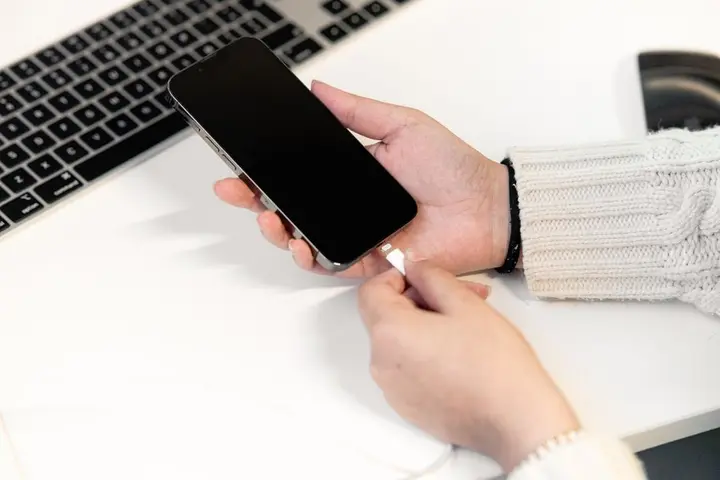
Keep a solar power bank out of hot enclosed spaces, such as a parked car in direct sun, even when sunlight is needed to charge its panel. Heat can stress the battery and shorten its useful life; the panel’s exposure does not require the entire device to become overheated. Use a shaded, ventilated place when practical, and follow the maker’s temperature limits.
- Keep the battery away from excessive heat, including hot vehicle interiors.
- Never connect a wet power bank or cable to a charging source.
- Check the product instructions before storing or drying the device.
Do not place a wet bank in the sun and assume heat will dry it safely. Moisture around a port can cause charging problems, so disconnect cables and let the unit dry according to its manual before reconnecting it. Avoid charging it while wet, and do not open the casing to speed drying.
Before budgeting for a solar power bank priced in dollars, check dolar kaç TL oldu to estimate its local-currency cost, then allow for any seller or payment charges. This is a planning aid, not a guarantee of the final amount charged, since exchange rates and fees can differ at checkout. Compare the complete purchase cost before deciding.
Store it with care
Store the bank in a dry place away from sharp objects that could scratch the panel or damage its casing. Avoid leaving it discharged for a long period; follow the maker’s storage guidance and check the charge occasionally if it will sit unused. A device kept ready is more dependable than one forgotten in a bag for months.
Disconnect accessories when the bank is not in use, and keep its ports clear of lint and grit. If cleaning is needed, use a soft, dry cloth and avoid abrasive products that can cloud or scratch the panel. Never pour cleaning liquid into a port or immerse the device unless its instructions explicitly allow it.
Inspect the casing, cable, and ports before charging after storage. Stop using the bank if it is swollen, cracked, unusually hot, or gives off an unusual smell, and follow the manufacturer’s safety guidance for disposal or service. Do not attempt to repair a sealed battery yourself; damaged cells require careful handling.
- Store it dry and protected from impact.
- Keep ports clean and cables disconnected.
- Follow the manual’s storage charge guidance.
Use a solar power bank on trips
Plan around available sunlight
Treat solar input as a supplement on a trip, not as a guaranteed source of power at a particular hour. Shade from trees, clouds, movement, and the angle of the panel can all reduce the energy it receives. Start with a charged bank, then use sunlight to top it up whenever you can place the panel safely in bright, direct exposure.
Choose a stable, secure spot for the bank instead of leaving it loose on a moving pack or vehicle. Reposition it when the sun shifts, and check that the panel is not covered by straps, dirt, or clothing. If you cannot monitor it, put it somewhere protected from falls, rain, and excessive heat.
Match your charging plan to the devices you actually need to keep powered. Save the bank’s stored energy for essential phone use or other priority devices, and use solar exposure to replace some of that energy when conditions allow. Charging several devices at once can draw power faster than a small panel can replenish it.
Pack cables and protect ports
Bring the cable required to connect the bank to your device, along with any adapter specified by the manufacturer. A solar panel does not remove the need for a compatible cable when you are using stored energy to charge a phone or other device. Check each connection before leaving, so a missing cable does not become the weak point in your setup.
Keep spare cables separate from grit, water, and sharp gear, and avoid bending them sharply around the bank. If a connector becomes wet or dirty, do not plug it in until it is clean and dry. A cable that fits physically may still be unsuitable if its connector or power capability does not match the device’s requirements.
During a break, check the bank’s indicator and confirm that the connected device is receiving power. If charging stops, reseat the cable and inspect the ports rather than leaving the devices connected unattended. Pack the bank where its panel will not be scraped or compressed, and secure it against shifting inside your bag.
- Pack a compatible charging cable.
- Keep connectors dry and free of grit.
- Secure the bank against impact in your bag.
Keep charging performance steady
Check the panel and indicators
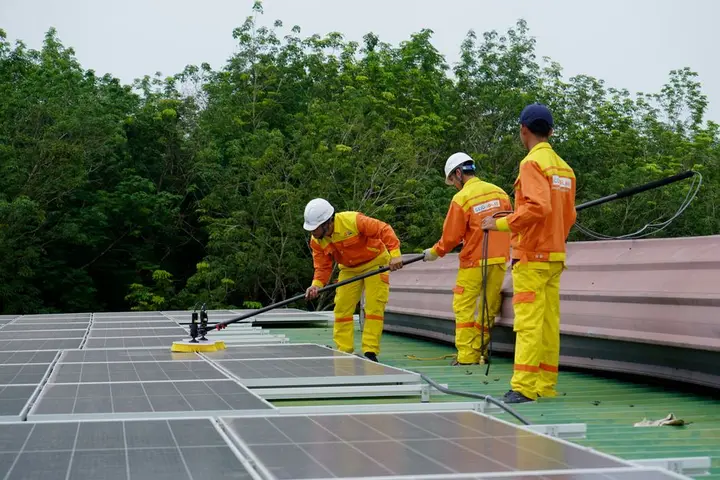
Clean the panel gently when dust or fingerprints are visible, because a layer of grime can block some incoming light. Use a soft, dry cloth unless the instructions specify another safe method, and avoid abrasive cleaners or rough fabric. A scratched or cloudy surface may reduce light reaching the panel, so protect it from loose tools and keys.
Use the indicator lights as a clue, not as a precise measurement of energy entering the bank. Learn from the manual what each light means, and check whether the display changes when the panel is placed in direct sun. If there is no indication of charging, move it into brighter light and make sure the panel is unobstructed.
Compare solar charging in similar conditions before deciding that performance has changed. A cloudy day, partial shade, or a different panel angle can explain slower input without a fault. If the bank repeatedly fails to respond in strong, unobstructed light, try the specified USB input and consult the manufacturer’s troubleshooting guidance.
Use USB when dependable input matters
Choose USB charging when you need a predictable way to replenish the bank before leaving or between outings. Use an adapter and cable that meet the bank’s stated input requirements, since an unsuitable source may charge slowly or fail to charge it. Place the bank on a stable, ventilated surface while it is connected.
Avoid covering the bank or stacking it under other items during USB charging, as heat needs room to escape. Disconnect it if the casing becomes unusually hot, and check the manual for normal operating conditions. If charging does not begin, try a compatible cable and power source before assuming the battery or port has failed.
Use the solar panel when convenient, but keep USB as the dependable fallback for preparation and recovery. This approach reduces the temptation to leave the bank in harsh sun for hours while waiting for a full charge. Record what conditions work well for your own model, and follow its instructions if indicators or charging behavior change.
Frequently asked questions
Can I charge a solar power bank through a window?
You can place a panel in sunlight through a window, but the glass and the angle of the sun can reduce the light reaching it. Results vary with the window, weather, and panel position, so do not count on this method for a quick recharge. Keep the bank within its temperature limits, and check its indicator to confirm that it is receiving input.
Should I turn the power bank off while it charges?
Follow the product manual, since controls differ between models. If the bank has a power button, switching off its output may prevent it from supplying energy to connected devices while it charges, but it does not necessarily change how its input works. Disconnect devices you do not need, and check the indicator to confirm that charging continues.
Can I leave a solar power bank charging unattended?
Do not leave it in a place where heat, rain, or movement could damage it, and avoid enclosed hot spaces such as a sunlit car. Follow the manufacturer’s instructions for charging supervision and temperature limits. If leaving it outdoors, secure it against falls and weather, keep ports protected, and check its condition when you return.
Why does the solar charging indicator stop or flicker?
A changing indicator can reflect passing clouds, shade, a shifting panel angle, or an indicator that reports input intermittently. Move the panel into unobstructed light and check that it is clean, then consult the manual to interpret the display. If the behavior continues in steady, bright conditions, test USB input and contact the manufacturer for troubleshooting.
Make charging fit the conditions
A solar power bank works best when you treat its panel as a way to add energy when light is available, not as a promise of rapid recharging. USB input is the more dependable choice when you need the bank ready on schedule. Protect the battery from heat and moisture, keep the panel clean, and use the manual to interpret charging indicators and storage advice.
Before your next outing, check the bank’s input specifications, charge it by USB, and pack the correct cable. Then try the solar panel in a safe, unshaded spot and confirm that its indicator responds. That simple test shows what your model can do in your conditions, so you can plan around its strengths without relying on an uncertain full solar recharge.


