

7 min read · Updated: 2026-10-14
A wireless charger can simplify daily device charging, but options vary widely. This guide gives you practical steps to evaluate compatibility, safety, and performance so you pick a charger that actually fits your gear and routine.
We’ll cover core considerations first, then compare charging methods, and finally flag common mistakes and how to avoid them. Expect concrete checks you can perform before buying or plugging in.
The aim is to help tech readers understand how wireless charging works in real life, with actionable advice they can apply to their own devices and setups.
- Wireless charging selection hinges on device compatibility, heat management, and real-world performance. Start with your device’s supported output and whether your use case favors a cradle or a flat pad.
- Choose pads with safety features like auto-stop and certified components, especially if you charge in shared spaces. Test in real-life placement to confirm stability and speed.
- Keep setups tidy, verify warranties, and consider hybrids if you need flexibility. Validate any claims with hands-on testing and reputable reviews.
Basics of wireless charging
How it works in practice
Wireless charging relies on inductive coils inside the charger and device to transfer energy over a short gap. Positioning alignment matters, as misalignment can slow charging or stop it entirely. A clear, flat surface and a stable stand reduce heat and improve efficiency. Dundee News news
- Most devices charge best on a flat, unobstructed pad
- Compatibility and output rating guide performance
- Always use a certified charger to avoid heat and safety risks
The main benefit is convenience: drop a phone on a pad and it starts charging without plugging in. But performance varies with coil quality and distance, so don’t assume all pads are equal.
An experienced user checks for Qi compatibility, verifies the charger’s output rating, and tests real-world charging speed with their own devices.
- Check device compatibility
- Test real-world speeds
- Use original or certified cables
- Keep coil alignment simple
- Avoid crowded or hot surfaces
Choosing the right pad
For desktops or nightstands, a pad with a wide surface area helps you avoid hunting for the sweet spot. If you move the device often, a cradle or stand supports easier pickup and better airflow. Consider a pad with an anti-slip top to keep devices stationary during Notifications or calls.
Pads vary in output: some deliver 5W, others 7.5W and 10W. If your phone supports higher speeds, a compatible charger matters, but the real limit is the device’s own power management.
Budget-minded buyers should prioritize build quality and a stable warranty over flashy fast-charging claims.
- Flat pad vs cradle
- Size and surface matter
- Output matches device capability
- Prioritize build quality
What to check before you buy

Key specs to compare
Look for Qi compatibility, wattage options, and heat management features. A charger that supports multiple outputs often adapts to different devices without overheating. A useful resource on this topic: community events in Dundee.
- Buying without verifying device compatibility
- Overlooking heat management
- Ignoring warranty and support
Read safety certifications and check for auto-stop features that prevent sustained high temperatures. Real-world reviews help reveal hidden heat or noise issues that specs miss.
Understand warranty terms and what happens if a pad fails or begins to degrade over time.
- Qi compatibility
- Multiple outputs
- Auto-stop temperature
- Warranty terms
- Real-world reviews
Setup and everyday use
Place the charger on a stable, cool surface away from direct sunlight or heat sources. Keep charging cables tidy to avoid accidental unplugging and ensure better cable life.
If a device supports fast wireless charging, use a compatible adapter to unlock that speed; mismatched adapters can throttle performance or cut charging abruptly.
Regularly clean the pad surface to remove dust and debris that can impede charging efficiency.
- Stable placement
- Use the right adapter
- Clean pad regularly
- Avoid clutter
Alternatives and options
Other wireless standards and combos
Some chargers support multiple standards or coil configurations, which can improve compatibility with a wider range of devices. Keep in mind that not all phones support every feature, so verify your model. A useful resource on this topic: add your business listing in Dundee.
- ☐ Verify device compatibility
- ☐ Confirm output and heat management
- ☐ Test with a real device
- ☐ Check warranty and support
- Multiple standards may help
- Check device support
- Match to your phone model
| Feature | Pad A | Pad B |
|---|---|---|
| Qi compatibility | Yes | Yes |
| Output options | 5W/7.5W | 5W/10W |
| Safety features | Auto-stop | Auto-stop + temp monitoring |
Cable-based backup and hybrid setups
A hybrid approach, using a pad plus a quick-charge cable, can cover scenarios where wireless charging is impractical. This is common for tablets, laptops, or cases with thicker shells. The goal is to avoid dead zones where wireless charging stalls.
Keep separate cables for travel and home use to prevent mixing power requirements. Label devices to reduce confusion about what charges where.
If you rely on wireless daily, consider a pad with a large footprint for easier alignment and fewer frustrations.
- Hybrid setups for flexibility
- Separate travel cables
- Label devices for clarity
- Large footprint helps alignment
A slim, low-profile charger fits better on crowded workstations than a bulky unit.
Tech integration tips
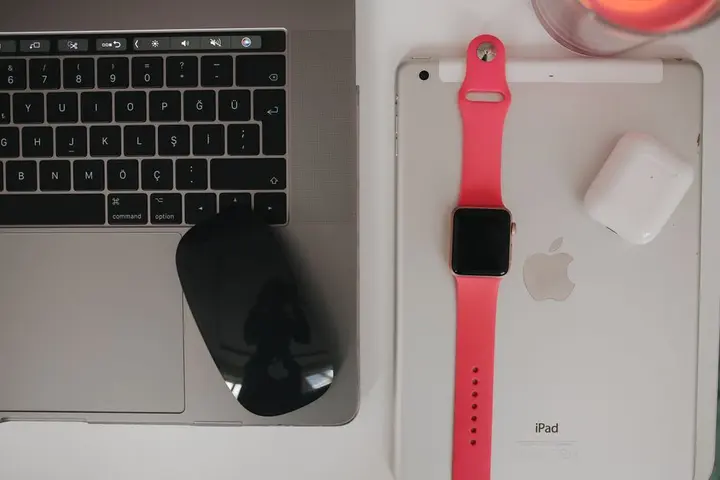
Choosing a charger layout for desks
Begin with your daily device habits to pick a charger with the right pad count and placement. Consider whether you need one pad or a multi-device surface, and map where you keep your phone, smartwatch, and earbuds. This helps reduce clutter and speeds up your charging routine, especially during busy workdays. A useful resource on this topic: used items for sale in Dundee.
Next, evaluate the desk space you have. A slim, low-profile charger fits better on crowded workstations than a bulky unit. If you frequently swap devices, a magnetic or adjustable pad can keep cables out of the way and support quick placement.
Finally, check for compatibility with your devices and typical charging scenarios. Look for supported standards and any device-specific quirks, like fast-charge quirks that require a certain alignment or surface texture. This step saves time later when your devices are in use.
- Multi-device layout
- Desk footprint
- Device compatibility
- Cable-free setup
Security and privacy in charging
Mitigating rogue access risks
Start by limiting who can use your wireless charger. Use a dedicated charging area or a badge-controlled desk pad in shared spaces. This reduces the chance of accidental data exposure if a device is compromised. publish a death notice in Dundee
Next, verify firmware updates from the manufacturer and enable features that monitor connection health. Regular updates help protect against new threats in the charging ecosystem.
Finally, be cautious with public or shared pads. Use your own charger in high-traffic areas and avoid plugging into unknown power sources that could be tampered with or spoofed.
- Own charger in shared spaces
- Firmware updates
- Health monitoring
- Public pad caution
Maintenance and lifespan of pads
Cleaning and care routines
Develop a simple cleaning habit for pads to remove dust and grime that can affect efficiency. Use a dry microfiber cloth and avoid solvents that can degrade coatings. A quick wipe once a week keeps performance steady.
Check the surface for wear and tear, especially around the edges where heat can accumulate. If the pad starts to feel warm longer than usual, pause use and inspect for debris or misalignment.
Review the user manual for care guidelines specific to your pad, including any heat warnings or safe temperatures. Following those recommendations protects the pad’s lifespan and your devices.
- Regular cleaning
- Inspect for wear
- Follow manufacturer guidelines
Future trends in wireless power
What to expect from new standards
New standards are likely to increase the effective charging area and improve alignment tolerance. That means devices will charge more reliably even if placed slightly off-center. This reduces the friction of setting down a phone exactly right.
Industry shifts may bring better power sharing among multiple devices and smarter heat management to protect batteries during long sessions. Expect pads to negotiate power dynamically based on device needs.
In practice, these advances could lower the need for precision and boost compatibility across brands. As a reader, you’ll want to track updates from the key standards bodies and major manufacturers to plan upgrades accordingly.
- Better alignment tolerance
- Dynamic power sharing
- Improved heat control
- Cross-brand compatibility
Frequently asked questions
Does wireless charging work with all phone cases?
Most devices can charge through typical cases, but thick or metal cases can block the signal. If charging slows or stops, remove the case and try again. Consider a slim case if you frequently rely on wireless power.
Can I charge multiple devices at once without slowing down?
Charging multiple devices is possible, but each device may receive less power. Look for pads that balance output across ports, and place higher-priority devices on the primary spots for faster top-ups.
Is public wireless charging safe for data privacy?
Public pads can pose privacy concerns if you connect to unknown networks or expose devices in shared spaces. Use your own charger where possible, and keep devices set to block unexpected connections.
How can I extend pad lifespan?
Keep pads clean, avoid placing heavy objects on them, and maintain proper alignment. Check your manufacturer’s guidelines for heat limits and warranty terms to prevent issues before they occur.
Conclusion: take the next step
With a clear plan, choose a pad that fits your desk and device lineup, then build a simple maintenance routine. This approach preserves charging speed, privacy, and comfort in daily use.
A small, deliberate upgrade—like a multi-device pad or a model with better heat management—can reduce clutter and frustration over time. Start by testing one change and measure the difference in your workflow.


