

8 min read · Updated: 2026-10-15
Wireless charging devices sit at the intersection of convenience and power management. This guide answers how to choose, set up, and optimize wireless chargers for real-world tech use, without hype or guesswork.
You’ll learn practical steps for evaluating compatibility, safety, and performance, plus how to avoid common missteps when integrating wireless charging into your devices.
The goal is a concise, actionable framework you can apply to any setup, from desks at home to workstations and travel scenarios.
- Choose a compliant, certified charger and test basic compatibility.
- Align the device and keep the surface clean to maximize efficiency.
- Consider desk or travel setups based on your daily needs and constraints.
- Avoid heat traps by removing bulky cases and metal accessories during charging.
Basics and verification
Compatibility check
Start by confirming the charger and device share the same wireless standard (often Qi). Check the maximum power rating and any device-specific coil alignment notes. When in doubt, test with a lower-power charger before moving to faster options. elenco attività commerciali in Italia
Devices can support different charging speeds; using a non-native charger may limit performance or cause heat buildup. Verify that your phone or gadget supports the preferred wattage and that the charger is certified for safety. This prevents unexpected shutdowns or worn-out batteries over time.
A simple rule: if the charger works and doesn’t heat unusually, you’re good to proceed to more advanced usage.
- Check standard compatibility (Qi, etc.)
- Match wattage with device capability
- Look for safety certifications (UL, CE)
- Test with a familiar device
Placement and signals
Placement affects efficiency. Align the device’s coil with the charger’s pad to minimize energy loss and heat. Use the built-in guides or visual indicators to center the phone.
If the charger has multiple coils, try the center area first; offset positions can reduce charging speed and increase heat. Avoid placing metal objects between the device and the pad, as they disrupt the field.
A stable surface reduces movement during charging, which helps maintain steady power and prevent accidental disconnections.
- Center alignment matters
- Avoid metal between device and pad
- Stable surface improves performance
How it works and what to expect
Power transfer basics
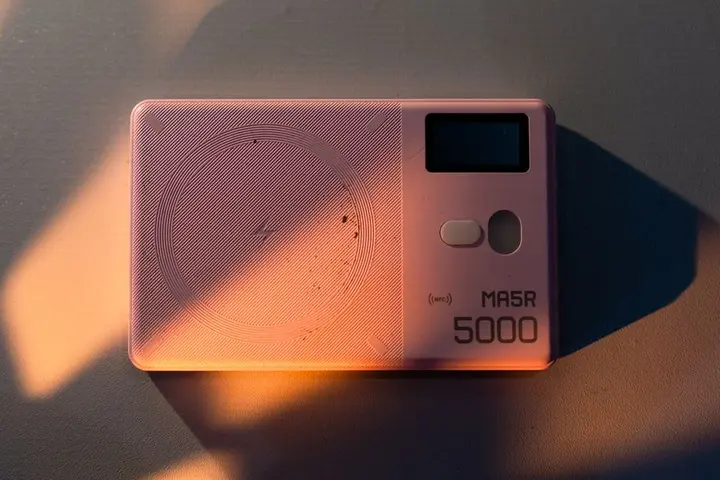
Wireless charging uses magnetic induction to transfer energy from pad to device. The efficiency depends on coil design, alignment, and distance. Expect some heat and a gradual slowdown as the battery approaches full. A useful resource on this topic: Italia Diretta notizie.
Real-world chargers deliver varying efficiency curves; affordable models might stay within a narrow power band, while premium ones maintain steadier output. Don’t rely on peak numbers alone; observe how temperature and charging speed behave on your device.
Understanding the energy path helps you spot issues early, such as overheating or unexpected pauses in charging.
- Induction transfers energy via coils
- Efficiency varies by design
- Heat is normal but should be controlled
Safety and days-to-day use
Use chargers that have proper certifications and avoid cheap knock-offs. Look for overcharge protection, temperature monitoring, and short-circuit safeguards. These features extend battery life and reduce risk.
Keep chargers away from liquids and avoid stacking items on top of the pad. Unplug devices if you notice unusual heat or strange noises. Regular cleaning of the pad’s surface prevents poor contact.
Plan charging during longer breaks so the battery reaches 80–90% without prolonged high heat, which helps preserve longevity.
- Choose certified models
- Monitor temperature
- Keep surface clean
- Avoid blocking vents or fans
Options and setup choices
Desktop vs travel solutions
Desktop pads suit daily use at a desk with stable power. They support higher steady currents and can charge multiple devices with smart switching. Travel pads are compact but may offer lower peak power or simpler cooling. A useful resource on this topic: eventi locali in Italia.
- ☐ Choose one desk pad for home/office
- ☐ Add a compact travel pad for trips
- ☐ Prefer pads with adaptive power delivery
- ☐ Verify compatibility with your devices
Consider your typical environment: a dedicated desk charger reduces clutter and keeps devices ready. For travel, a compact pad that supports basic fast charging is often sufficient and avoids extra bulk.
Match the setup to your lifestyle; the right choice minimizes friction and keeps devices ready when you need them most.
- Desk solutions for daily use
- Travel pads for portability
- Smart charging features matter
| Option | Pros | Cons |
|---|---|---|
| Desk pad | Reliable power, multi-device capable | Higher cost and footprint |
| Travel pad | Compact, portable | Lower peak power, fewer features |
| Basic single-device pad | Simple, affordable | Limited versatility |
Smart features vs simplicity
Smart features include device detection, temperature control, and safety timers. They reduce waste by avoiding overcharging and help manage heat. If you value simplicity, a basic pad paired with a single device remains reliable.
Some pads offer integrated stands, lighting, or charging indicators. These can improve UX but add cost. Weigh the value of visibility against potential distraction or extra power draw.
In practice, pick a model that balances reliability with usable extras and avoids unnecessary bells and whistles.
- Device detection improves efficiency
- Temperature control prevents heat spikes
- Simple pads reduce complexity
These interfere with the field and can cause increased heat or slower charging.
Common pitfalls and how to avoid them
Heat and efficiency traps
Overheating is the main signal of inefficiency or misalignment. If a device gets unusually hot, stop charging and check alignment, case thickness, and surface. Heavier cases can raise the gap and slow power transfer. A useful resource on this topic: affitto stanze in Italia.
Avoid using metal or magnetic accessories on the pad. These interfere with the field and can cause increased heat or slower charging.
Place the device on a flat, clean surface and remove bulky or metal objects nearby to maintain steady performance.
- Watch for excessive warmth
- Avoid metal accessories
- Maintain flat surface
Alignment and case issues
Misalignment reduces charging speed and can trigger safety shutoffs. Use the charger’s alignment marks or a flat top to ensure the coil lines up with the device’s receiver.
Slim or integrated cases usually work better than bulky ones. If a case is too thick, consider removing it during charging or using a pad designed for cases.
Test a different pad if you consistently see slow charging, as some devices fare better with particular coil geometries.
- Use alignment guides
- Prefer slim cases
- Test different pads if needed
Advanced optimization and integration
Optimizing placement for devices
Place the charger on a flat, stable surface and align the device’s center with the charging coil. If you notice slower charging, shift the device slightly or elevate the surface to reduce heat buildup. Test with both a phone and a larger tablet to confirm stability across sizes. partecipazione al lutto in Italia
Consider accessories like non-slip pads or a low-profile stand to maintain alignment while keeping cables clear. Consistency in placement yields predictable charging speeds and fewer interruptions caused by misalignment.
A practical check is to create a small photo log of device positions during charging sessions. This helps identify patterns where alignment tends to drift and informs a better mounting choice.
- Use a dedicated charging pad for each frequently used device
- Mark the center with a subtle sticker for quick alignment
- Avoid reflective surfaces that mislead the device’s charging indicator
Security and privacy
Protecting data during charging
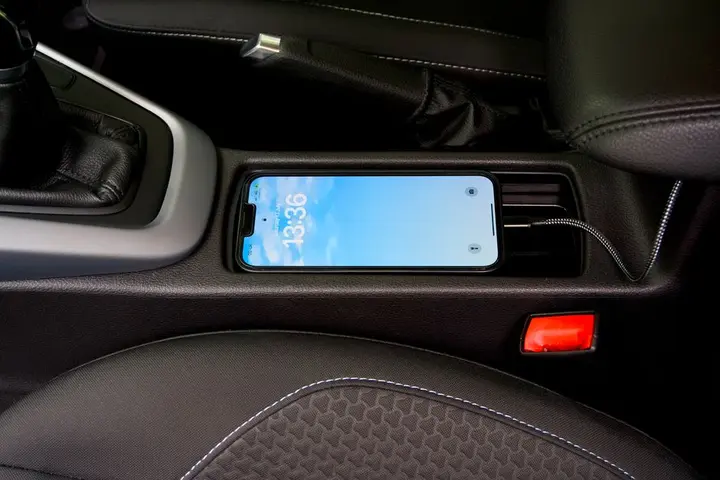
Wireless charging itself does not transmit data, but the host device can be vulnerable if it is connected to unsecured networks or apps. Disable unnecessary wireless transfers while charging in public spaces to minimize exposure. Use device-side protections like screen lock and trusted accessories to reduce risk.
- Encrypt backups before charging in shared spaces.
- Review app permissions that touch the charging interface.
- Unpair or forget devices after use on shared chargers.
Regularly update firmware on the charger if the manufacturer provides it, and avoid third-party firmware that isn’t widely vetted. Favor chargers with documented security practices and clear product notes.
Monitor for heat spikes or unusual charging behavior, which can indicate a compromised accessory. If you notice a charger that warms unusually fast, unplug it and switch to a known-good unit.
- Disable experimentation with unverified accessories
- Keep the device locked during charging
- Use trusted public charging stations with caution
AI-assisted charging and software
Smart charging profiles and automation
Many modern chargers and devices support smart profiles that adjust power based on usage patterns. Set up automation to reduce power when you’re near a full battery, and enable safety features that pause charging when the device overheats. This approach preserves battery health over time.
- Set temperature alerts for charging sessions.
- Tie charging to specific time blocks when possible.
- Review energy usage reports to adjust profiles.
Integrate with your device’s energy management system to reflect your daily routine, such as disabling fast charging overnight. The result is a smoother balance between speed and longevity.
Test profiles on a few days with different apps in use, then refine thresholds for temperature, current, and charging time to match your workflow.
- Create a cooling window for high-load periods
- Sync charging with calendar or routines
- Audit charging logs to spot inefficiencies
The future of wireless power

Emerging standards and devices
New standards promise higher efficiency and broader device compatibility. Expect clearer guidance on coil dimensions, alignment tolerances, and multi-device charging pads that can handle several gadgets without interference. These advances reduce setup friction and broaden use cases.
- Anticipate faster, safer charging across more devices.
- Look for clear compatibility information.
- Plan for multi-device charging layouts in home or office.
Manufacturers will likely introduce dynamic alignment that self-centers a device for optimal energy transfer. Consumers should look for certifications and transparent performance data to evaluate claims.
Stay informed about beta programs or pilot deployments in consumer electronics to understand practical limitations and real-world performance.
- Watch for cross-compatibility notes
- Check for official certification marks
- Prepare for multi-device charging scenarios
Frequently asked questions
What is the minimum distance for wireless charging compatibility?
Compatibility hinges on coil alignment and the charger’s certified range. Most devices tolerate small offsets, but performance drops as the gap widens. If you notice slower charging, try repositioning and removing metal accessories that sit between the device and pad.
Can I charge multiple devices on one pad?
Some pads support multiple devices, but effectiveness depends on coil layout and power management. Place the device that needs the most power in the center, and keep others within the pad’s usable regions. Expect reduced efficiency when charging several items at once.
Is wireless charging safe for batteries long-term?
Smart chargers manage heat and timing to protect batteries. Use devices within recommended temperature ranges, and avoid high-power charging for long periods if you don’t need speed. Battery longevity improves with moderate temperatures and consistent charging behavior.
Do I need to update the charger firmware separately?
Firmware updates for chargers are common but not universal. If the manufacturer provides updates, apply them to improve stability, safety features, and compatibility with new devices. Check the charger’s companion app or the product page for upgrade instructions.
Takeaways and next steps
A structured setup makes wireless charging reliable day to day, from placement to firmware updates. Start with a stable pad, keep metal objects away, and monitor temperature during initial use.
Next, tailor charging profiles to daily routines and test variations to find a balance between speed and battery health. Use automation and software features to optimize how you charge.


